DCOM hardening has been enforced by Microsoft since March 2023. The coming Windows Server refresh is when many OPC Classic connections will probably meet it for the first time.
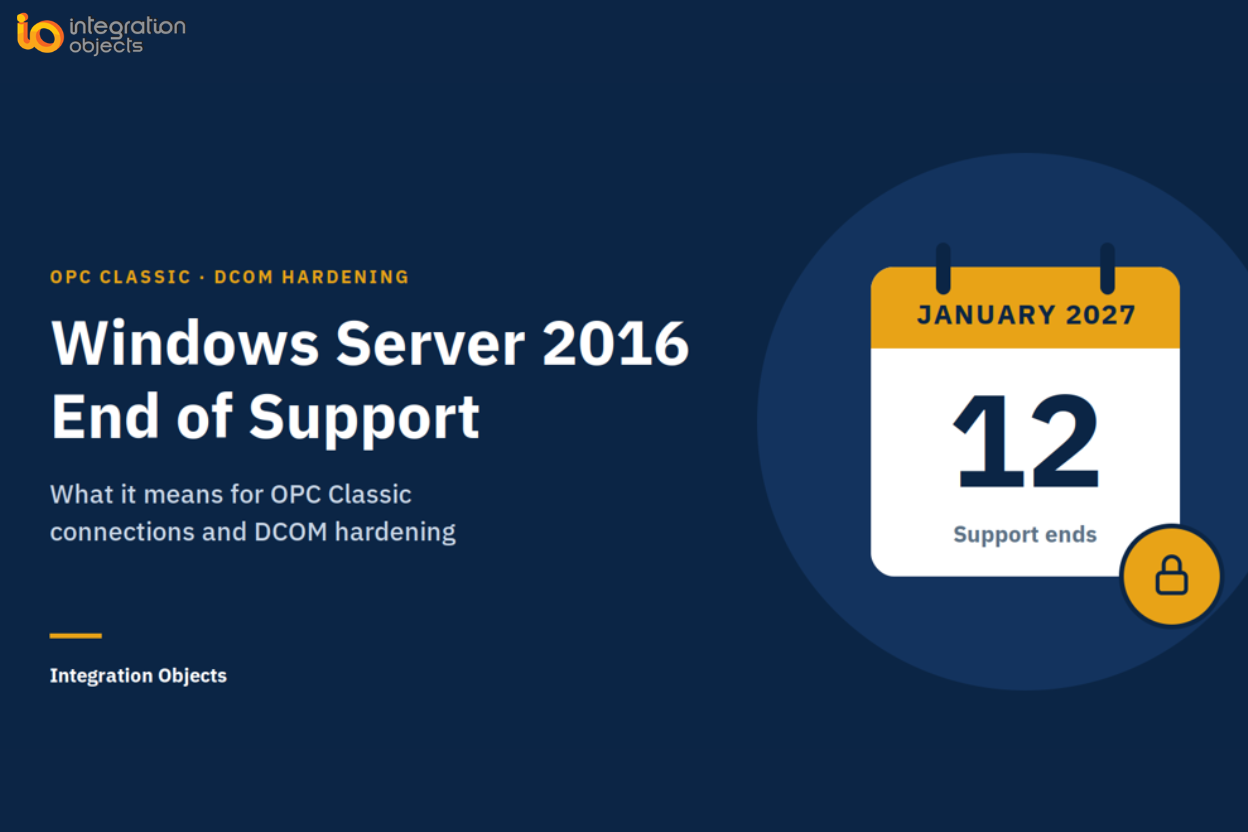
Extended support for Windows Server 2016 ends on January 12, 2027. After that date, Microsoft stops shipping security updates for it through standard support, and most industrial sites will move their OPC servers, historians and SCADA nodes to Windows Server 2022 or 2025. For OPC Classic (OPC DA, OPC HDA and OPC AE), the migration matters more than the date itself. DCOM hardening has been enforced on patched Windows systems since March 2023. If your OPC Classic connections still work, that does not guarantee they will survive a server migration. A change in host configuration, client compatibility, authentication settings, or network topology can expose existing problems during cutover.
This guide explains what changes, how to check your OPC links before you migrate, and four ways to keep data flowing, from a quick fix to a full modernization with SIOTH®.
In short: Windows Server 2016 end of support does not switch OPC DA off. Moving OPC hosts to a newer Windows Server does put every remote OPC Classic connection under DCOM hardening. Test each link before cutover, or take DCOM off the network with OPC tunneling, OPC UA or SIOTH®.
Two dates, one migration project
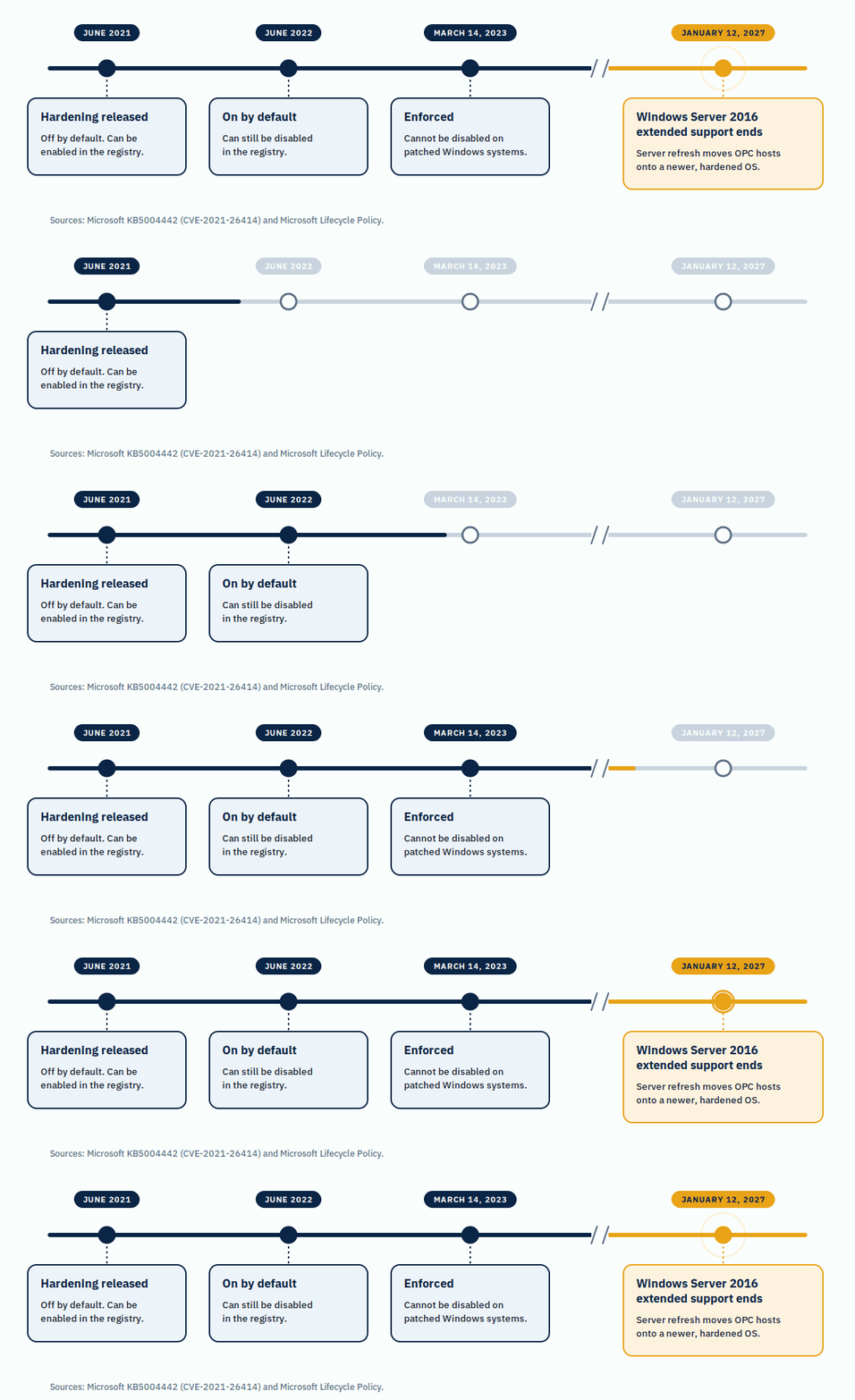
Two Microsoft changes meet in the same project: the DCOM hardening rollout that ended in 2023, and the end of support for the server generation many OPC hosts still run on.
| Date | Change | What it means for OPC Classic |
| June 2021 | DCOM hardening released (KB5004442), disabled by default | No impact unless an administrator enables it |
| June 2022 | Hardening enabled by default; a registry setting can still disable it | Low-authentication remote links fail unless hardening is disabled |
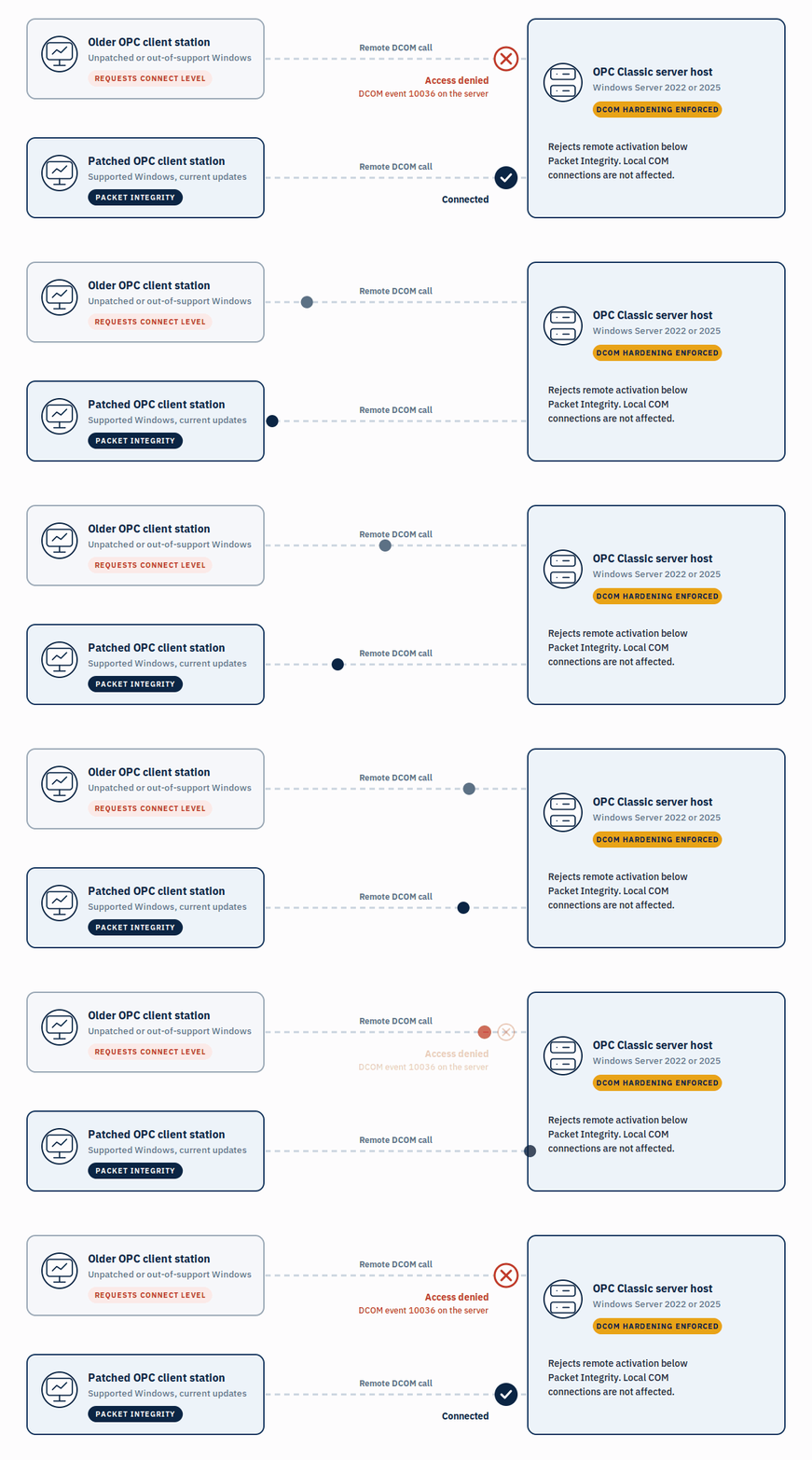
| March 14, 2023 | Hardening enforced; it can no longer be disabled | Patched servers reject remote clients below Packet Integrity |
| January 12, 2027 | Windows Server 2016 extended support ends | Server refresh moves OPC hosts onto hardened systems |
Windows Server 2012 and 2012 R2 reached the end of their last paid Extended Security Updates (ESU) year in October 2026, so many sites will replace several generations of OPC hosts in the same window. ESU can bridge a gap in security updates, but it does not change DCOM behavior.
What DCOM hardening changed for OPC Classic
OPC Classic relies on Microsoft COM and DCOM (Distributed Component Object Model). On one machine, an OPC client and server talk over local COM. Across the network, they use DCOM, which runs on Remote Procedure Call (RPC).
To fix vulnerability CVE-2021-26414, Microsoft changed DCOM through update KB5004442. A patched DCOM server now rejects remote, non-anonymous activation requests below the Packet Integrity authentication level (RPC_C_AUTHN_LEVEL_PKT_INTEGRITY). Patched Windows clients raise their own level automatically. The connections that fail are typically those from client machines that are unpatched or out of support, or from software that cannot meet the new level.
- Affected: remote OPC DA, HDA and AE connections over DCOM.
- Not affected: local COM connections on a single machine, and OPC UA, which does not use DCOM.
For the full rollout history and troubleshooting steps, see DCOM Server Security Feature Bypass (CVE-2021-26414): What OPC Users Need to Know.
Why a server refresh exposes hidden DCOM issues
Many plants have run with DCOM hardening for years without problems. A server refresh changes the conditions under which those links were last tested:
- Old workarounds stop working. The registry setting that disabled hardening before March 2023 has no effect on a patched system, and a new host is patched from day one.
- Servers generally move before clients. The OPC server moves to Windows Server 2022 or 2025, while operator stations, engineering workstations and third-party SCADA nodes often stay on older Windows versions that no longer receive updates.
- Local links become remote. An OPC client and server that shared one machine used local COM. Split them across two virtual machines and the same link now uses DCOM.
- Accounts and firewalls change. New domains, service accounts and firewall rules affect DCOM authentication and its RPC ports (TCP 135 plus a dynamic port range).
Pre-migration checklist for OPC Classic hosts
- Inventory every OPC Classic link: server, client, host names, Windows version and patch level, OPC specification (DA, HDA or AE), and whether the link is local or remote.
- Flag high-risk clients: remote clients on unpatched or out-of-support Windows, and applications whose vendor has not confirmed Packet Integrity support.
- Build a test host on the target OS with current updates. Where the production server cannot be copied, OPC Server Simulators (free of charge) stand in for OPC DA, HDA and A&E servers.
- Test from each real client station. The free OPC DA Test Client and OPC AE Test Client confirm that the station reaches the new server over DCOM through the network, firewall and accounts. The OPC DA Test Client – Portable Edition runs without installation, which helps on locked-down stations. Then confirm with the production client application itself.
- Read the event logs. On the server, DCOM event 10036 records a rejected activation and the client involved. On patched clients, events 10037 and 10038 flag requests below the required level.
- Choose a remediation path per link (next section).
- Keep a rollback. Keep the old host available until every link is verified on the new one.
Request a Technical Assessment
Four ways to keep OPC data flowing after migration
Choose per link, based on what you can change: the client software, the network path, or the architecture.
1. Update or patch the client
If the client software vendor offers an update that supports Packet Integrity, and the client machine runs a supported, patched Windows version, this is the easiest solution to keep your OPC data flowing.
However, it does not help where the client OS cannot be updated because the vendor no longer supports the product, or firewalls block DCOM’s dynamic ports.
2. Tunnel OPC Classic with OPCNet Broker DA HDA AE
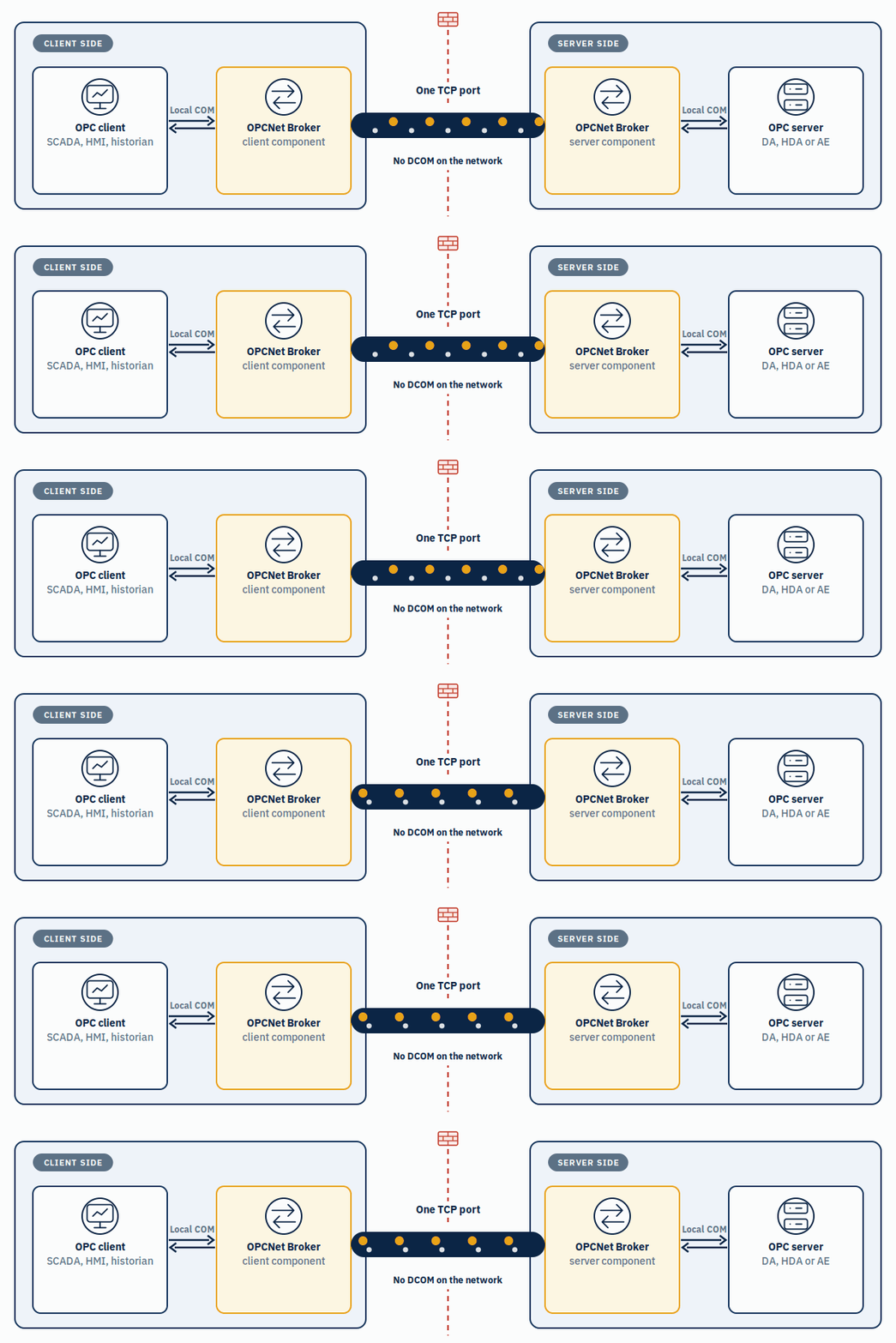
OPCNet Broker DA HDA AE takes DCOM off the network. A client-side and a server-side component each talk to the OPC applications over local COM, and exchange data with each other over a single TCP port. Existing OPC clients and servers stay as they are. A 30-day free trial is available.
OPCNet Broker:
- Covers OPC DA, HDA and AE
- Works across LANs, WANs and Windows domains
- Uses one open TCP port instead of DCOM’s dynamic RPC range
- Supports OPC server redundancy, store & forward and automatic reconnection
More detail in What Is OPC Tunneling? The Complete Guide to DCOM-Free OPC Communications.
Download the Free Trial (OPCNet Broker DA HDA AE)
3. Move to OPC UA with the OPC UA Wrapper
OPC UA does not use DCOM. It has its own transport and security model, with application certificates, signing and encryption. The question is how to get there without replacing OPC Classic servers that work.
OPC UA Wrapper exposes existing OPC Classic (DA, HDA and AE) servers to OPC UA clients. Its OPC UA Proxy component covers the opposite direction, connecting OPC Classic clients to OPC UA servers. A 30-day free trial is available.
To test the OPC UA side, the free OPC UA Client browses and reads any OPC UA server, and the OPC UA Server Simulator – Free Edition supplies real-time and historical test data in 48-hour sessions.
Download the Free Trial (OPC UA Wrapper)
4. Consolidate with SIOTH® when the migration becomes a modernization
A server refresh is often the point where OPC Classic is not the only problem. Other protocols sit next to it, a second site needs the same data, the historian needs a feed, and IT wants plant data for analytics. Fixing each link separately adds one more tool per problem.
SIOTH® (Smart IoT Highway) is Integration Objects’ IT/OT integration platform. Instead of point-to-point fixes, you configure Data Flows allowing you to:
- Read OPC Classic locally. A SIOTH® connector deployed on the OPC server host that reads OPC DA, HDA and AE over local COM, alongside Modbus, DNP3, Siemens S7, OPC UA and other sources, and sends the data to the SIOTH® master node.
- Serve one OPC UA endpoint. The OPC UA Universal Server, a configurable server within Data Flow, exposes the connected sources to SCADA, MES and other OPC UA clients.
- Publish to a Unified Namespace (UNS). The MQTT Universal Broker, also a configurable server within Data Flow and Eclipse Sparkplug B certified, distributes data to MQTT and Sparkplug B subscribers.
- Cross the IT/OT boundary in a controlled way. DMZ-aware deployment with a protocol break, TLS/SSL encryption, role-based access control (RBAC), and Active Directory and OAuth 2.0 authentication. SIOTH® is IEC 62443-aligned.
- Keep data through outages. Store-and-forward buffering covers network interruptions and downtime in destination systems.
The other three SIOTH® modules build on the same data: Data Model (ISA-95 compatible asset modeling), Rule and Workflow Engine (rules, scripts and machine learning models) and Unified HMI (web-based SCADA screens and dashboards).
Figure 4. A SIOTH® connector reads OPC Classic locally in the OT zone and sends data to the SIOTH® master node, which serves OPC UA and MQTT from the industrial DMZ. No DCOM crosses a firewall.
Which option fits?
| Situation | Best fit | What crosses the network |
| Vendor update exists and the client OS is supported | Client update | DCOM, at Packet Integrity |
| Client or server software cannot change; links cross firewalls, WANs or domains | OPCNet Broker DA HDA AE | One TCP port, no DCOM |
| Clients support OPC UA, or OPC UA is the target | OPC UA Wrapper | OPC UA, no DCOM |
| Several protocols, sites or IT consumers; a UNS project | SIOTH® | OPC UA and MQTT; OPC Classic stays local |
What will not work
- Disabling hardening in the registry. Since the March 2023 updates, the setting has no effect on patched systems.
- Opening the full DCOM port range. It addresses firewall blocking, not authentication, and it widens the path between network zones and consequently the attack surface.
Free OPC tools to test before you migrate
Six Integration Objects tools are free of charge, with no license purchase:
| Tool | Use in a migration |
| OPC DA Test Client | Connect, browse and read OPC DA servers from each client station |
| OPC DA Test Client – Portable Edition | The same tests without installation, for locked-down stations |
| OPC AE Test Client | Monitor alarms and events; test OPC AE servers |
| OPC Server Simulators | One product simulating OPC DA, HDA and A&E servers on a test host |
| OPC UA Client | Test, explore and troubleshoot OPC UA servers after conversion |
| OPC UA Server Simulator – Free Edition | Real-time and historical OPC UA test data (48-hour sessions) |
Frequently asked questions
Can DCOM hardening be disabled on Windows Server 2022 or 2025?
No. DCOM hardening has been enforced by Microsoft since March 2023, and the registry setting that once disabled it has no effect on patched systems.
Which OPC connections does DCOM hardening affect?
Remote OPC Classic (DA, HDA and AE) connections that use DCOM. Local COM connections on one machine and OPC UA connections are not affected.
How can I tell that DCOM hardening is blocking a connection?
Check the Windows System event log. Event 10036 on the server records a rejected activation and the client involved. Events 10037 and 10038 on patched clients flag requests below Packet Integrity.
Do Windows Server 2016 Extended Security Updates avoid the problem?
No. ESU extends security updates for the operating system. It does not change DCOM behavior, and hardening stays on.
Should I choose OPC tunneling or OPC UA?
Tunneling keeps OPC Classic applications unchanged and fits when software cannot change. OPC UA fits when clients support it or when OPC UA is the long-term target. Many sites use both, link by link.
Can SIOTH® replace OPC tunneling?
For a single link, OPCNet Broker DA HDA AE is the simpler fix. SIOTH® fits when OPC Classic is one of several sources and the data must also reach SCADA, historians, a Unified Namespace or IT systems.