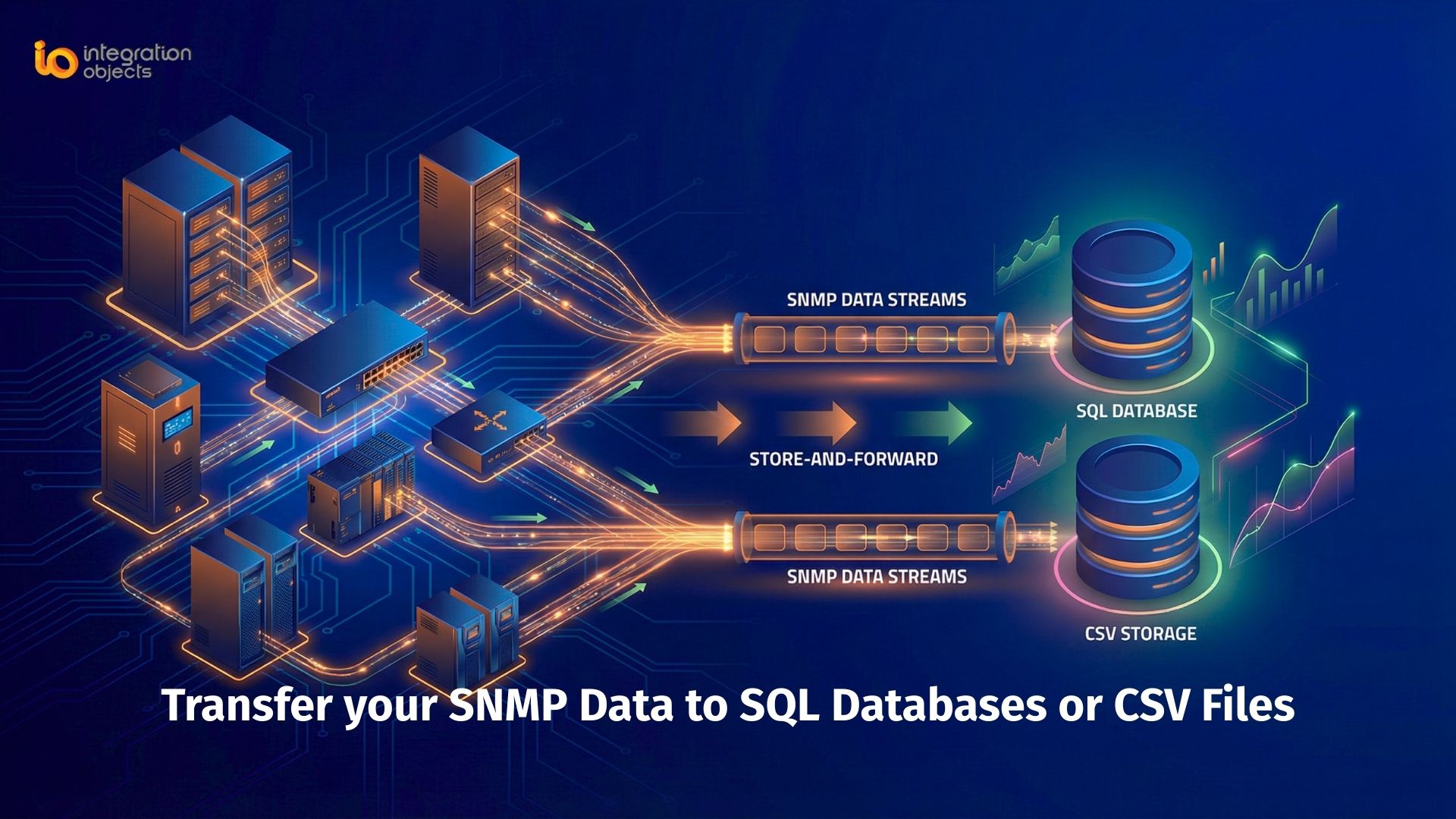
Do you need a reliable way to collect, store, and analyze SNMP data from your network devices in standard SQL databases? Whether you’re monitoring switches, servers, PLCs, UPS systems, or routers, centralizing SNMP data into a database enables powerful analysis, reporting, trend insights, and integration with industrial dashboards.
In this article, we explain how to transfer SNMP data to SQL databases (including Microsoft SQL Server, Azure SQL, Oracle, MySQL, PostgreSQL, and more) or CSV files using OPC Easy Archiver combined with OPC Server for SNMP.
What is SNMP Data Logging and Why It Matters
Simple Network Management Protocol (SNMP) is a widely used protocol for monitoring network‑attached devices. It provides key operational metrics, performance status, and alerts from devices that support SNMPv1, SNMPv2, or SNMPv3
However, raw SNMP data alone is not ideal for long‑term analysis or reporting. Storing SNMP metrics in an SQL database allows you to:
-
Perform historical trend analysis
-
Generate operational reports
-
Correlate SNMP metrics with other system data
-
Build custom dashboards
-
Integrate with analytics tools
This is especially valuable in enterprise, industrial, and IT‑OT integration environments where real‑time insights and historical context matter.
SNMP to SQL Databases with OPC Easy Archiver + OPC Server for SNMP
To collect SNMP data and log it into SQL databases or CSV files, you can combine OPC Easy Archiver with OPC Server for SNMP.
OPC Easy Archiver is a versatile data archiving solution that captures and stores industrial data into databases.
OPC Server for SNMP enables SNMP devices to appear as OPC servers, making them accessible to standardized industrial data pipelines.
Together, they provide a powerful SNMP → SQL data pipeline.
Key Capabilities of This SNMP → SQL Solution
This solution enables you to:
-
Monitor availability, performance, and status metrics from SNMP enabled devices such as workstations, servers, switches, PLCs, UPS, and routers.
- Log SNMP data into SQL databases or CSV files (Microsoft SQL Server, Azure SQL, Oracle, IBM DB2, MySQL, Microsoft Access, PostgreSQL).
- Support multiple SNMP‑enabled device connections simultaneously.
- Ensure reliable delivery with store‑and‑forward and automatic reconnection features to handle intermittent network issues.
- Use the stored data for trend analysis, reporting, calculations, and dashboards.
How It Works
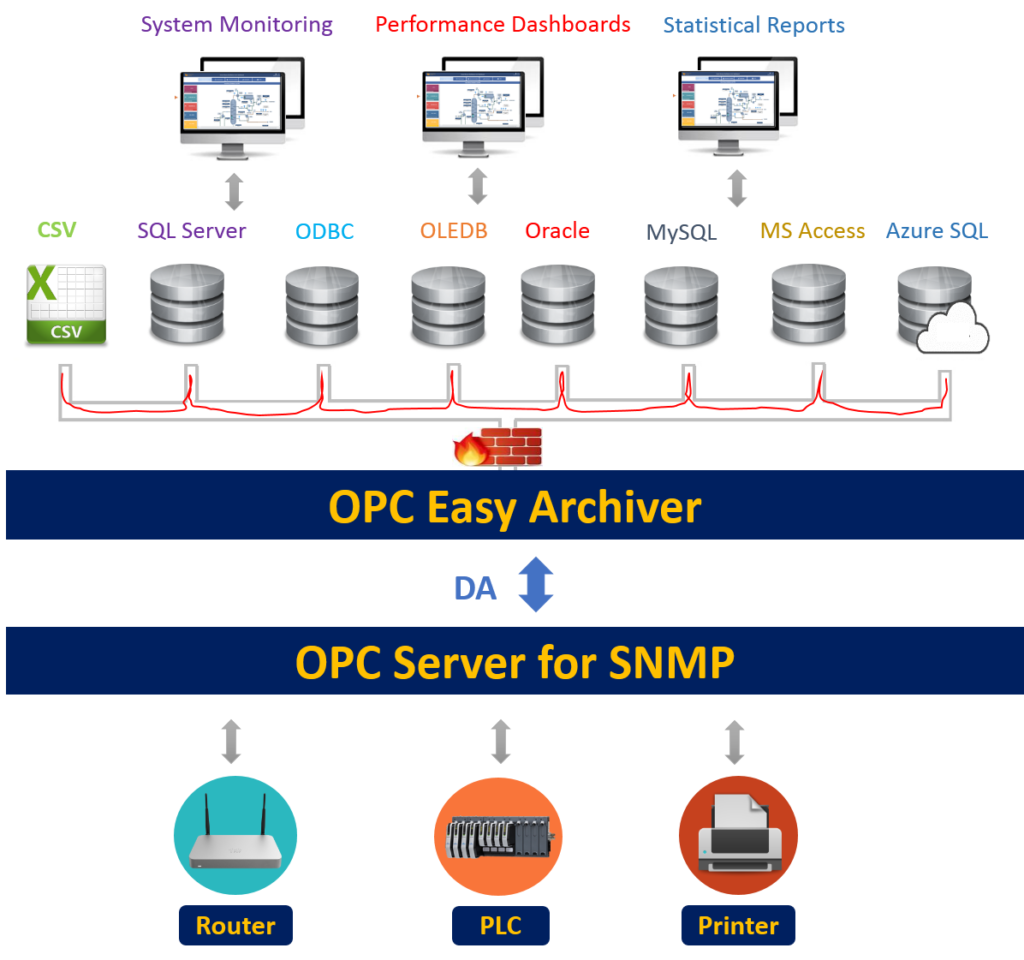
SNMP Devices → OPC Server for SNMP → OPC Easy Archiver → SQL Database/CSV
-
SNMP devices send management data (metrics, traps, performance info) over the network.
-
OPC Server for SNMP exposes this SNMP data in a standardized industrial format.
-
OPC Easy Archiver collects this data and writes it into the database of your choice.
-
You can then use SQL queries, BI tools, or dashboards to analyze, visualize, and report on the data.
Common Use Cases
- Operations Monitoring:
Track device uptime, performance counters, interface traffic, and system health. - Trend Analysis & Reporting:
Store long‑term SNMP metrics to identify patterns or anomalies over time. - Dashboards & Alerts:
Leverage SQL data with visualization tools (e.g., Power BI, Grafana) for operational dashboards. - Cloud Analytics:
Log SNMP data to Azure SQL for centralized enterprise insights and IoT analytics.
Best Practices for SNMP Data Collection
When setting up your SNMP → SQL pipeline:
-
Use SNMPv3 when possible for security (authentication + encryption).
-
Group devices by type and polling interval to optimize load and performance.
-
Ensure database indexing for efficient historical queries.
-
Test reconnection and store‑and‑forward behavior with real network outages.
Get Started: Try the Solution Now
Start your free trial of OPC Easy Archiver and OPC Server for SNMP to begin collecting SNMP data into SQL databases for analytics and reporting today.
For more information about OPC Easy Archiver: https://integrationobjects.com/opc-products/opc-data-archiving/opc-easy-archiver/
For more information about OPC Server for SNMP: https://integrationobjects.com/opc-products/opc-server/opc-server-for-snmp/
* Contact us and learn more about our services and how we can assist you with your dashboards and reporting requirements: [email protected]