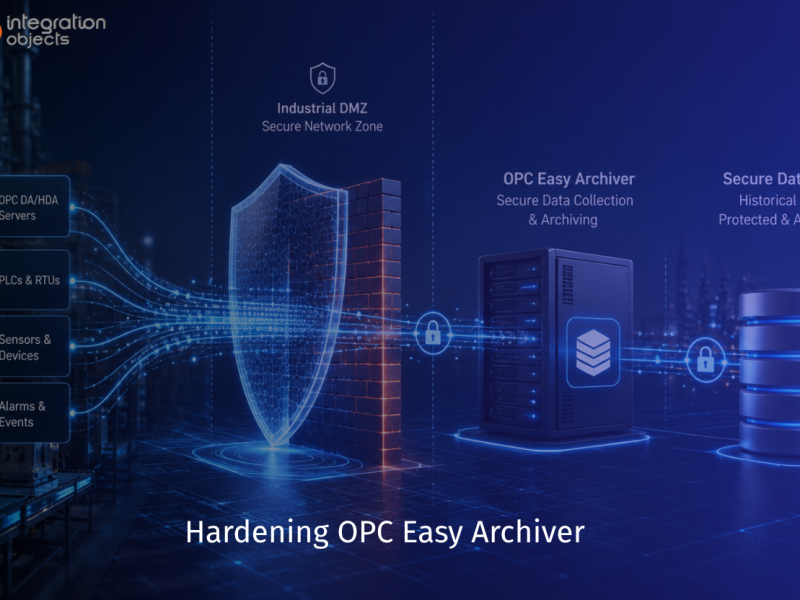
Efficient industrial data management is essential for operational excellence. An OPC Data Logger helps you reliably collect, store, and analyze real-time process data, historical trends, and alarms from multiple OPC servers. By centralizing this data into SQL databases or CSV files, your organization can gain actionable insights, ensure compliance, and make better data-driven decisions
What is OPC Data Logging and Why Does It Matter?
OPC (Open Platform Communications) data logging is the process of continuously capturing real-time process data, historical records, and alarm events from industrial automation systems and storing them in databases for analysis, compliance, and decision-making.
Key benefits of OPC data logging include:
- Operational insights – Identify trends, optimize processes, and improve efficiency
- Regulatory compliance – Maintain audit trails for FDA, ISO, and industry regulations
- Predictive maintenance – Analyze historical data to prevent equipment failures
- Data-driven decisions – Access comprehensive reports for business intelligence
- Cost reduction – Minimize downtime through proactive monitoring
Introducing OPC Easy Archiver: Your Industrial OPC Data Logger
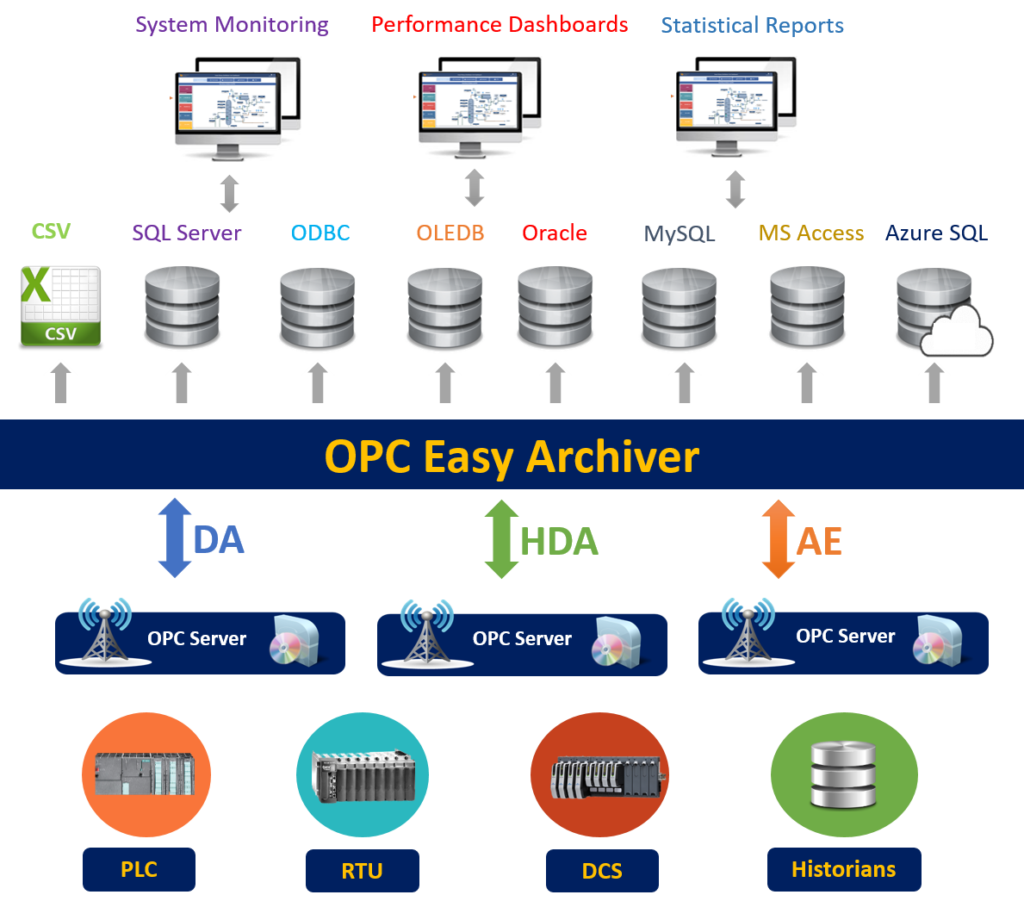
OPC Easy Archiver is an industrial-grade data historian that collects real-time data, historical data, and alarms & events messages from multiple OPC DA, OPC HDA, and OPC AE servers simultaneously. It then archives this data into SQL-like databases (MS SQL Server, Oracle, MySQL, PostgreSQL, Azure SQL) or CSV files.
Unlike basic data loggers, OPC Easy Archiver provides enterprise-level features designed for mission-critical industrial environments.
Core Features and Capabilities
- Universal OPC Connectivity
- Browse and discover all local or remote OPC DA, HDA, and AE servers available within your network
- Simultaneous connections to multiple OPC servers across different locations
- Protocol support for OPC Data Access (real-time), OPC Historical Data Access (historical), and OPC Alarms & Events
- Flexible Database Support
Store your industrial data in the database platform that fits your IT infrastructure:
- Microsoft SQL Server
- Oracle Database
- MySQL
- PostgreSQL
- Azure SQL Database
- Microsoft Access
- CSV flat files
- Any OLEDB/ODBC-compatible database
- Store and Forward Technology
Never lose critical data due to network interruptions:
- Automatic buffering of OPC data during database connection loss
- Data recovery and synchronization after successful reconnection
- Queue management ensures data integrity and completeness
- Automatic Reconnection
Maintain continuous data flow with intelligent reconnection:
- Auto-reconnect to OPC servers after network glitches
- Auto-reconnect to database servers after connection failures
- Minimal manual intervention required
- Bidirectional Data Transfer
Not just logging – enable full data integration:
- Transfer data from databases to OPC DA servers
- Enable integration between business systems and control systems
- Support real-time data synchronization workflows
- Advanced Rule Management
Create intelligent automation rules to:
- Monitor critical tags and trigger actions
- Send email notifications when specific conditions occur
- Overwrite data values based on business logic
- Start or stop archivers automatically
- Schedule actions based on time or events
- Windows Service Capability
Run OPC Easy Archiver as a background Windows service for:
- Automatic startup with system boot
- Continuous operation without user login
- Enhanced reliability and uptime
- Centralized management and monitoring
Why OPC Easy Archiver Outperforms Traditional Historians
|
Feature |
OPC Easy Archiver |
Traditional Historians |
|
Multi-database support |
Yes |
Limited |
|
Store and Forward |
Yes |
Sometimes |
|
Bidirectional data transfer |
Yes |
No |
|
Rule management |
Advanced |
Basic |
|
Cost |
Cost-effective |
Expensive |
|
Easy configuration |
User-friendly |
Complex |
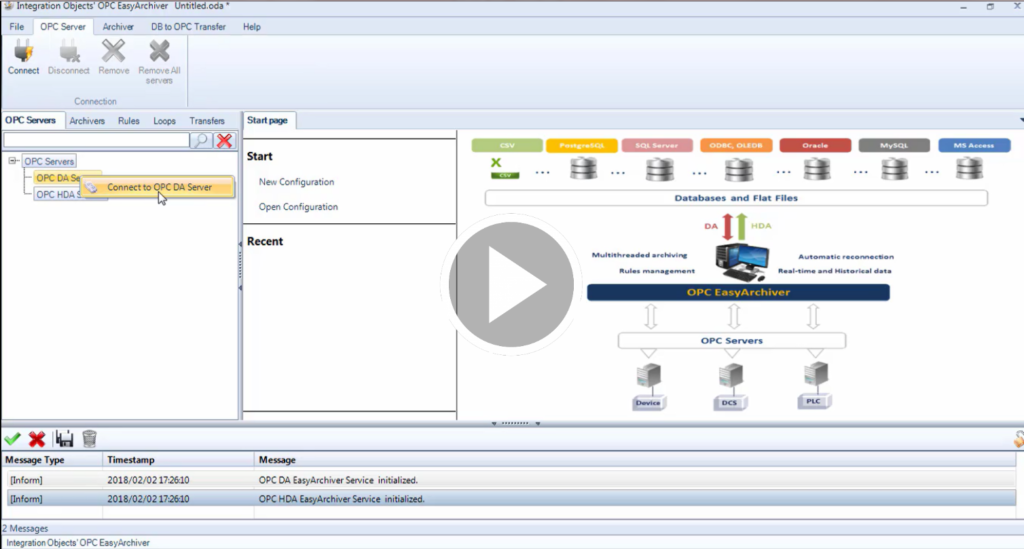
| Watch our demo videos to learn how you can easily configure OPC Easy Archiver to collect OPC data and store them into an MS SQL database as well as transfer data from SQL database to OPC. >>Watch Demo |
 |
Conclusion
Using an OPC Data Logger like OPC Easy Archiver enables your plant to collect, store, and analyze industrial data efficiently. By centralizing real-time values, historical trends, and alarms into SQL databases or CSV files, you gain a reliable, scalable, and compliant solution for industrial data management.
FAQ on OPC Data Logger
Why to save OPC data in a database instead of files?
OPC Easy Archiver stores data in structured SQL databases instead of flat files, making it easier to query, analyze trends, generate reports, and integrate with business intelligence tools.
Can data be collected from multiple OPC servers at the same time?
OPC Easy Archiver connects to multiple OPC DA, HDA, and AE servers simultaneously, allowing centralized data collection from different systems, locations, and processes in real time.
Which databases can be used for OPC data storage?
OPC Easy Archiver supports SQL Server, Oracle, MySQL, PostgreSQL, Azure SQL, Microsoft Access, CSV files, and any ODBC/OLEDB-compatible database for flexible data storage options.
Can automated actions be triggered based on data values?
OPC Easy Archiver enables rule-based automation that triggers alerts, emails, value updates, or system actions based on conditions, thresholds, or scheduled events.
Can data logging run without manual intervention?
OPC Easy Archiver runs as a Windows service, allowing automatic startup with the system and continuous background operation without requiring user login or manual control.