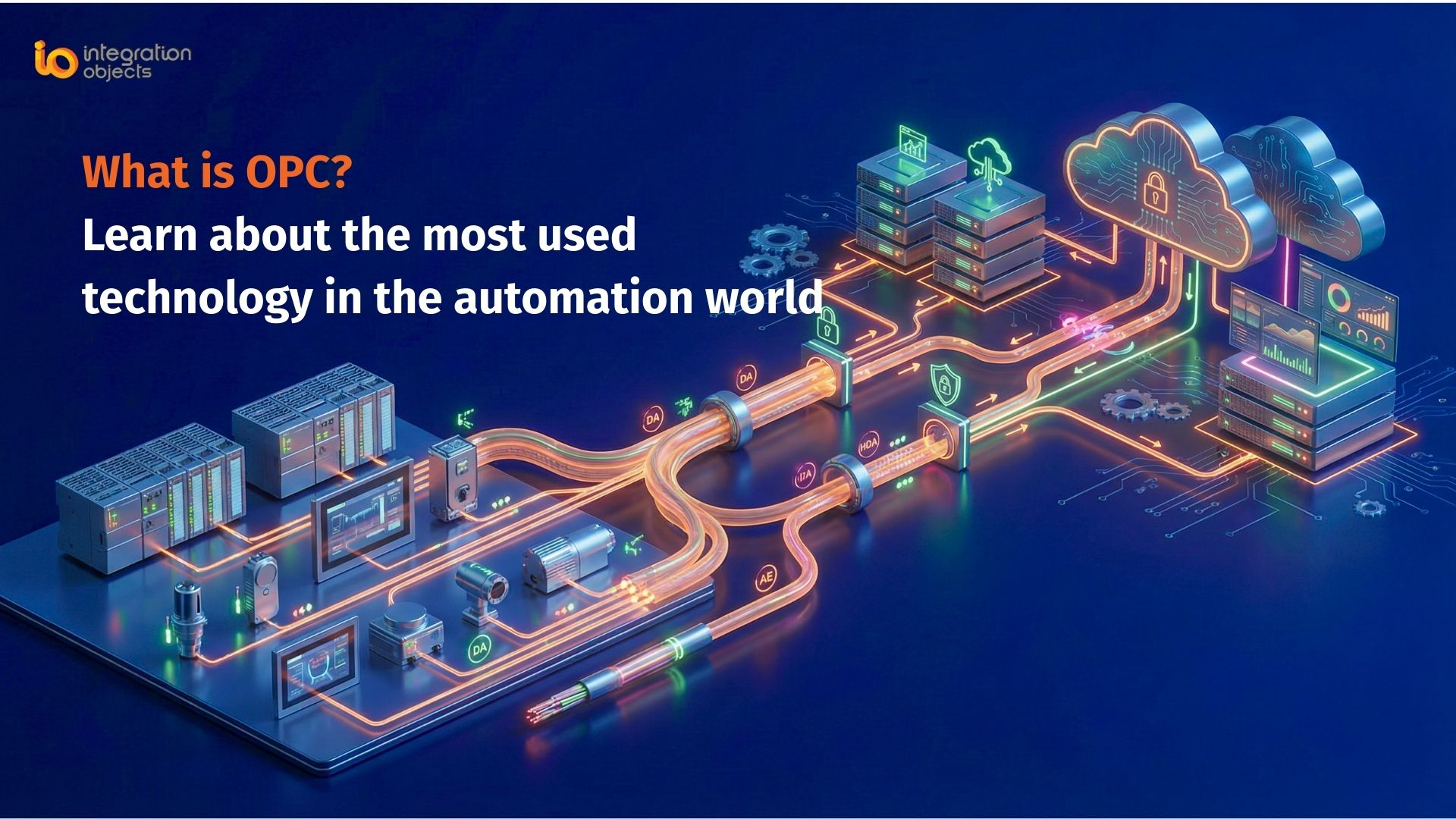
OPC (OLE for Process Control) is the original vendor-neutral standard that lets industrial hardware and software exchange real-time, historical, and alarm data without custom drivers for every device pairing. Created in the 1990s by a group of automation vendors and standardized by the OPC Foundation, OPC is still deployed across many industrial sites today, even as most new projects adopt its successor, OPC UA.
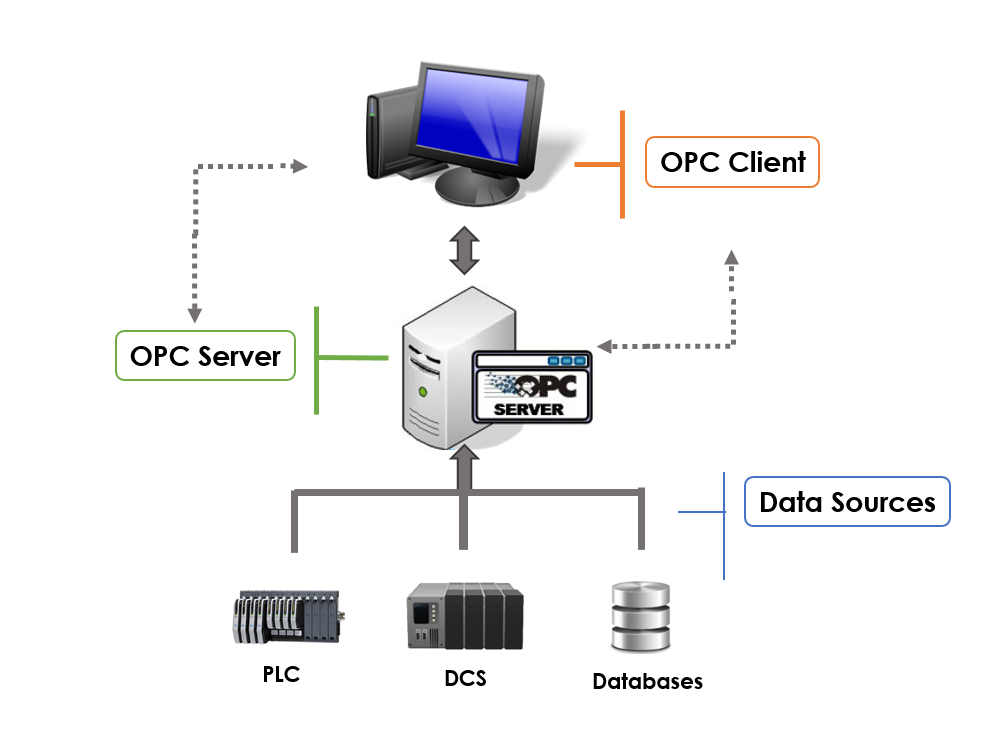
OPC (originally OLE for Process Control) is based on OLE/COM standard from Microsoft. This standard ensures exchange of data between industrial automation applications. It ensures high interoperability between client and server applications from multiple vendors.
Before OPC existed, every SCADA or HMI package needed a custom driver to talk to every PLC or device vendor it connected to – a costly, fragile way to build industrial systems. OPC solved this by giving vendors a single interface to build against instead of dozens of proprietary ones.
OPC Specifications
The most common types of data used between devices and applications in industries are: Real-time data, Historical data, and Alarm & Event data. In the OPC Classic model, we have the following specifications; Data Access (DA), Alarm and Events (AE), Historical Data Access (HDA), XML Data Access (XML DA) and finally Data eXchange (DX).
Alongside DA, AE, and HDA, the original specification also included OPC XML-DA (a web-services-based variant of OPC DA for exchanging data over HTTP) and OPC DX (Data eXchange, used for server-to-server data exchange across control system boundaries). Both saw far less adoption than DA, AE, and HDA and are rarely deployed in modern architectures.
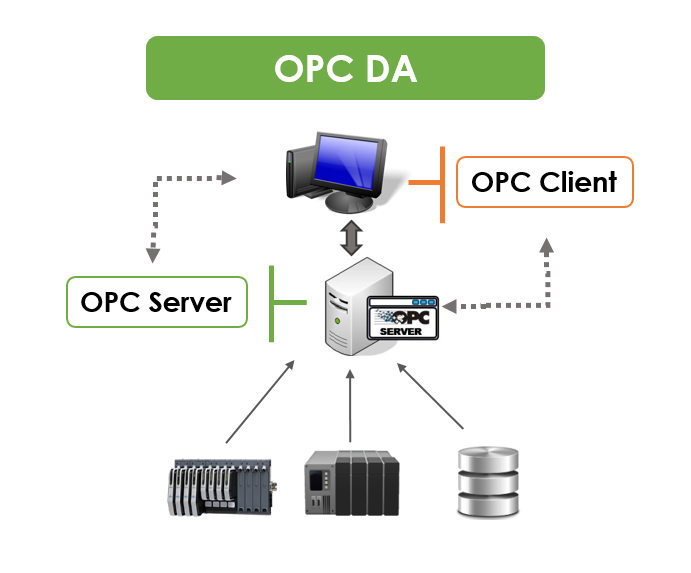 |
1. OPC DAOPC DA stands for OPC Data Access. It defines how real-time data can be transferred between a data source and a data sink such as PLC and a HMI. It ensures connection between industrial hardware and software applications using OPC DA servers and clients in order to read or write real-time data. |
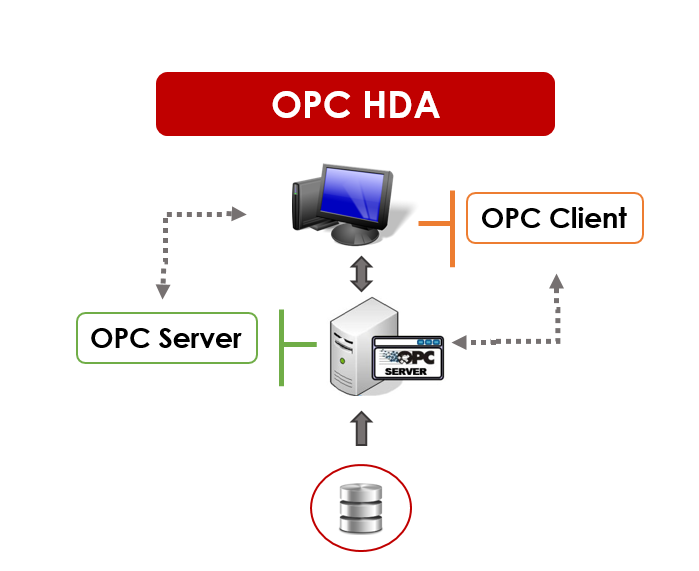
2. OPC HDAOPC HDA stands for OPC Historical Data Access. It is used to retrieve historical data for the purpose of analysis, and optimization, etc. Software applications can use OPC HDA to write historical data as well. |
 |
|
|
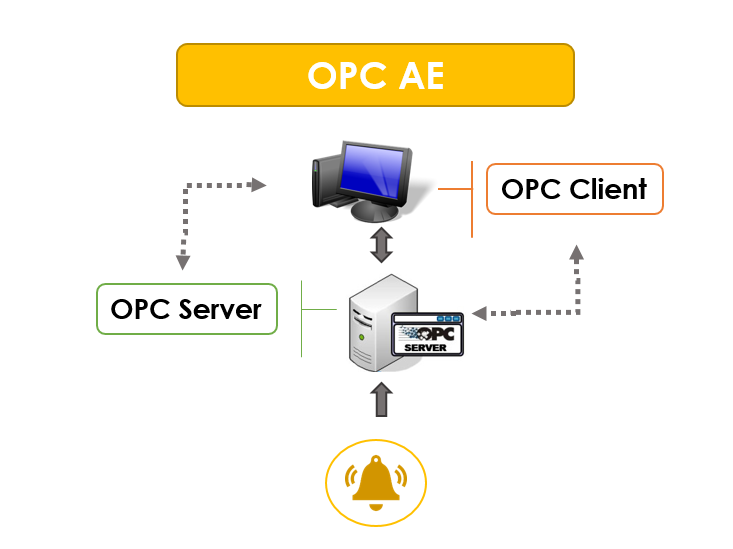
3. OPC AEOPC AE stands for OPC Alarms and Events. It is intended to be used with systems that generate alarms. It provides the means to connect industrial hardware and software applications using OPC AE servers and clients. The OPC AE servers captures the alarms from the source system and forward them to any client application interested in this information. |
How These Specifications Work Together in a Typical Plant
In a typical architecture, a PLC exposes live values through an OPC DA server so a SCADA or HMI can display and control the process in real time. An OPC HDA server queries and stores trend data from that same process for compliance reporting and long-term analysis. In parallel, an OPC AE server monitors for out-of-range conditions and forwards alarms to an alarm management system. All three typically communicate over Microsoft’s
DCOM (Distributed Component Object Model) when client and server run on different machines – see our guide on what DCOM is and how it relates to OPC Classic for more detail. DCOM’s Windows-only, firewall-unfriendly nature is exactly what led many sites to adopt an OPC tunneling product like OPCNet Broker for secure remote OPC Classic communication, and ultimately what led the OPC Foundation to design OPC UA without a DCOM dependency at all.
OPC Classic vs. OPC UA at a Glance
|
Aspect |
OPC Classic |
OPC UA |
|
Underlying transport |
COM/DCOM (Windows only) |
UA TCP or HTTPS — platform-independent |
|
Operating system support |
Windows only |
Windows, Linux, macOS, embedded systems |
|
Security model |
Relies on Windows/DCOM configuration |
Built-in encryption, certificates, authentication (IEC 62541) |
|
Data model |
Separate specs per data type (DA, HDA, AE) |
Single unified information model covering all data types |
|
Typical use today |
Legacy plant-floor connectivity |
New Industry 4.0 / IIoT and cloud-connected deployments |
For a full breakdown of OPC UA’s architecture and security model, see our complete guide: What is OPC UA?
Why OPC does matter in Industrial Automation?
There are several features that OPC delivers to the end-users, such as:
Interoperability:
- OPC applications can easily communicate with OPC enabled data source without the need of any driver software.
- Users may choose devices, controllers, and applications from different vendors; the inter-communication is assumed.
Ease of use:
- Flexible means of data access and simplified data model.
- Multiple OPC connections management without limitation on number of connections made.
Reduced integration cost:
- Before OPC, connecting a new SCADA package to a PLC from a different vendor meant custom driver development for every pairing. A single OPC-compliant interface removes that one-off engineering work.
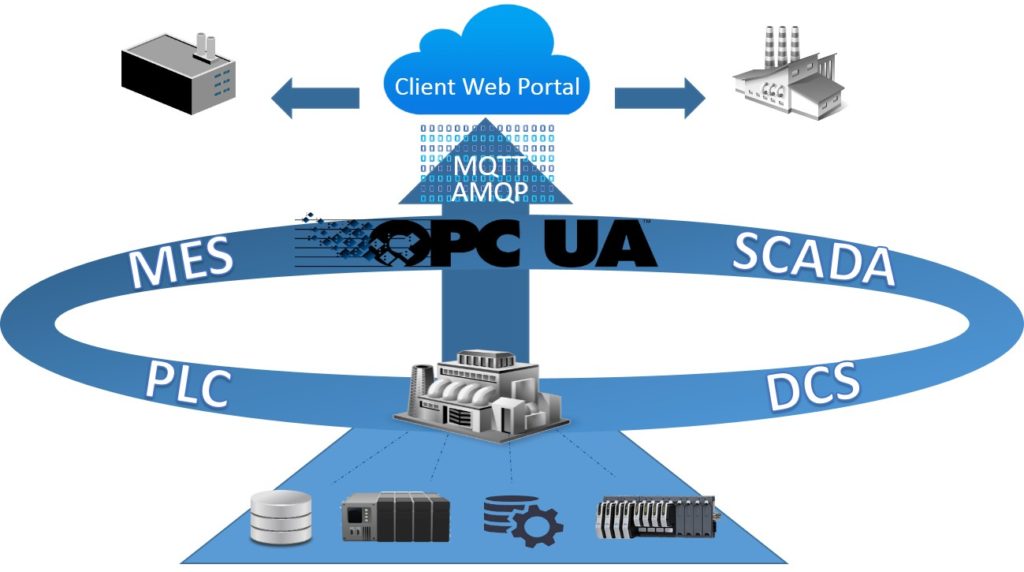 |
IoT & Interoperability: From OPC to OPC UAOPC UA (Unified Architecture) integrates all the functionality of the individual OPC Classic specifications into one extensible framework. It ensures secure, open and reliable interoperability between OPC Classic and OPC UA. It also provides a flexible mechanism for information exchange between enterprise-type systems and the kind of controls, monitoring devices and sensors that interact with real world data. Moreover, OPC UA is a platform independent service-oriented architecture that integrates all the functionality of the individual OPC Classic specifications into one extensible framework. |
When Should You Move from OPC Classic to OPC UA?
OPC Classic remains a reasonable choice for stable, isolated plant-floor connectivity. Migration to OPC UA becomes worth planning when a project needs cross-platform support (Linux edge devices, containerized workloads), a cloud or IIoT initiative, or stronger authentication than DCOM can offer – see our guide on OPC UA security for what changes. Our OPC UA migration guide walks through how to plan that transition without disrupting production. If you’re weighing whether now is the right time for your plant, talk to one of our engineers about a migration assessment.
Explore Integration Objects’ OPC Products
What is the difference between OPC DA and OPC UA?
OPC DA is one specification within the original OPC Classic family, limited to real-time data access over Microsoft's DCOM. OPC UA is its successor: a single, platform-independent specification covering real-time, historical, and alarm data together, with built-in security and support for non-Windows systems.
What is OPC HDA used for?
OPC HDA (Historical Data Access) retrieves, and in some implementations writes, time-stamped historical process data, such as trend values used for compliance reporting, performance analysis, and process optimization.
Is OPC Classic still used today?
Yes. Many industrial sites still run OPC Classic (DA, HDA, AE) alongside newer OPC UA deployments, particularly where legacy PLCs, DCS systems, or historians have not been replaced. OPC tunneling tools let these systems keep running securely without a full migration.
What replaced DCOM in industrial OPC communication?
OPC UA replaced DCOM as the underlying communication mechanism, using a platform-independent TCP or HTTPS-based transport with its own certificate-based security model instead of Windows DCOM configuration.
Does Integration Objects support both OPC Classic and OPC UA?
Yes. Integration Objects provides toolkits, servers, and clients for OPC Classic (DA, HDA, AE) as well as OPC UA, plus tunneling and migration tools such as OPCNet Broker and OPC UA Wrapper for organizations transitioning between the two.